This page documents the public evidence for Nimbiq's Staff SMS Alert consent workflow. The live opt-in form is sent through a recipient-specific link to the business owner or authorized staff recipient. Because that workflow is not publicly browsable, this page provides public screenshots of the exact consent experience shown to recipients.
Messaging Use Case
Message type: internal Staff SMS Alerts
Audience: business owner or authorized staff recipient
Purpose: lead notifications and service-related operational alerts
Frequency: Message frequency varies based on website lead activity.
Rates: Message and data rates may apply.
Opt-out: Reply STOP to unsubscribe.
Help: Reply HELP for help. For assistance, contact support@nimbiq.ai.
Data sharing: No mobile opt-in data will be shared with third parties or affiliates for marketing or promotional purposes.
Consent Flow Evidence
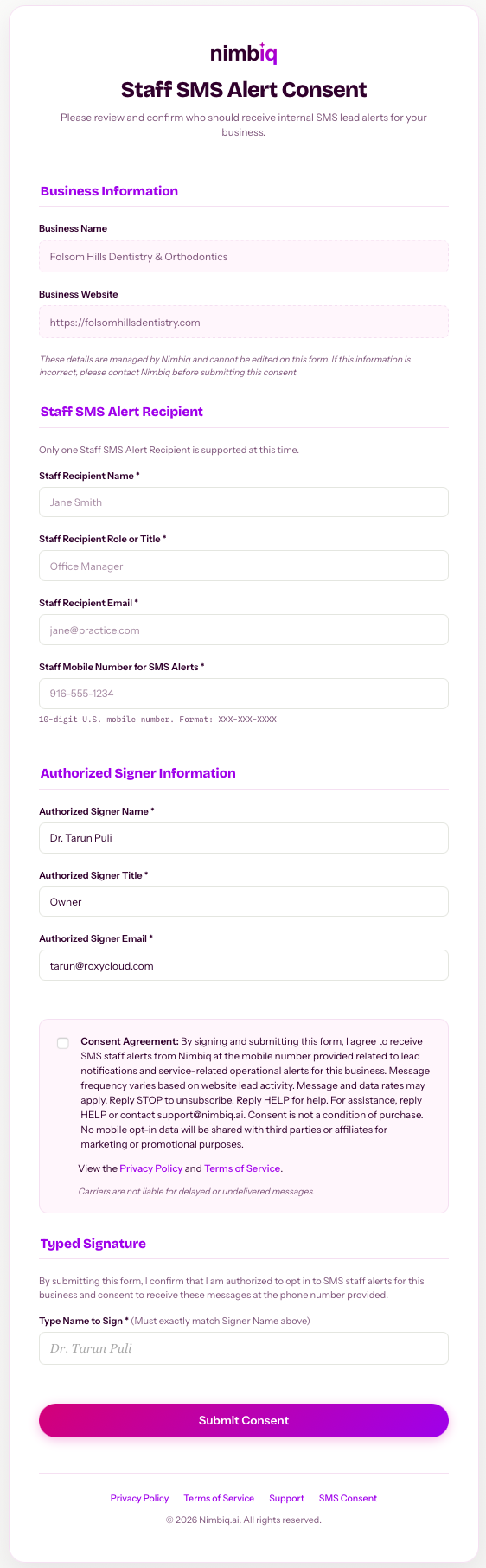
1. Recipient-specific consent form
Nimbiq sends a unique consent form link to the intended recipient. The recipient reviews the business details managed by Nimbiq, enters the Staff SMS Alert Recipient information, completes the Authorized Signer information, and provides affirmative consent before submitting the form.
Recipient-specific consent form sent to the intended business owner or authorized staff recipient.
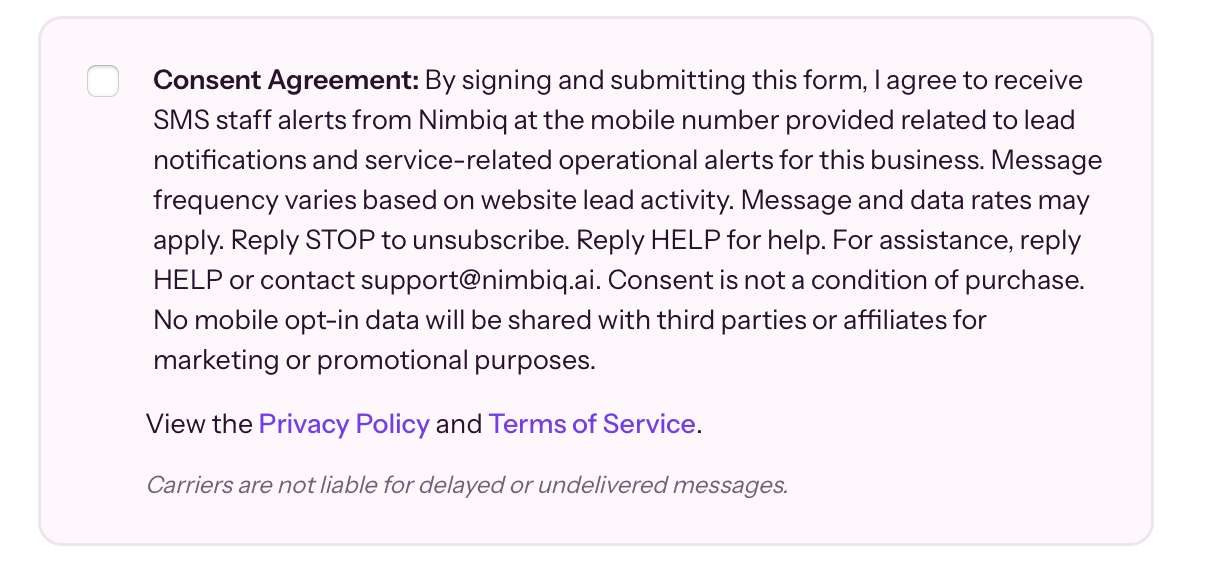
2. Consent disclosure shown at opt-in
Before submitting the form, the recipient is shown the SMS consent language, including the message type, message frequency, message and data rates disclaimer, opt-out instructions, help instructions, privacy policy, and terms of service. No mobile opt-in data will be shared with third parties or affiliates for marketing or promotional purposes.
Consent disclosure shown at opt-in, including message type, frequency, rates, opt-out, help, and policy links.
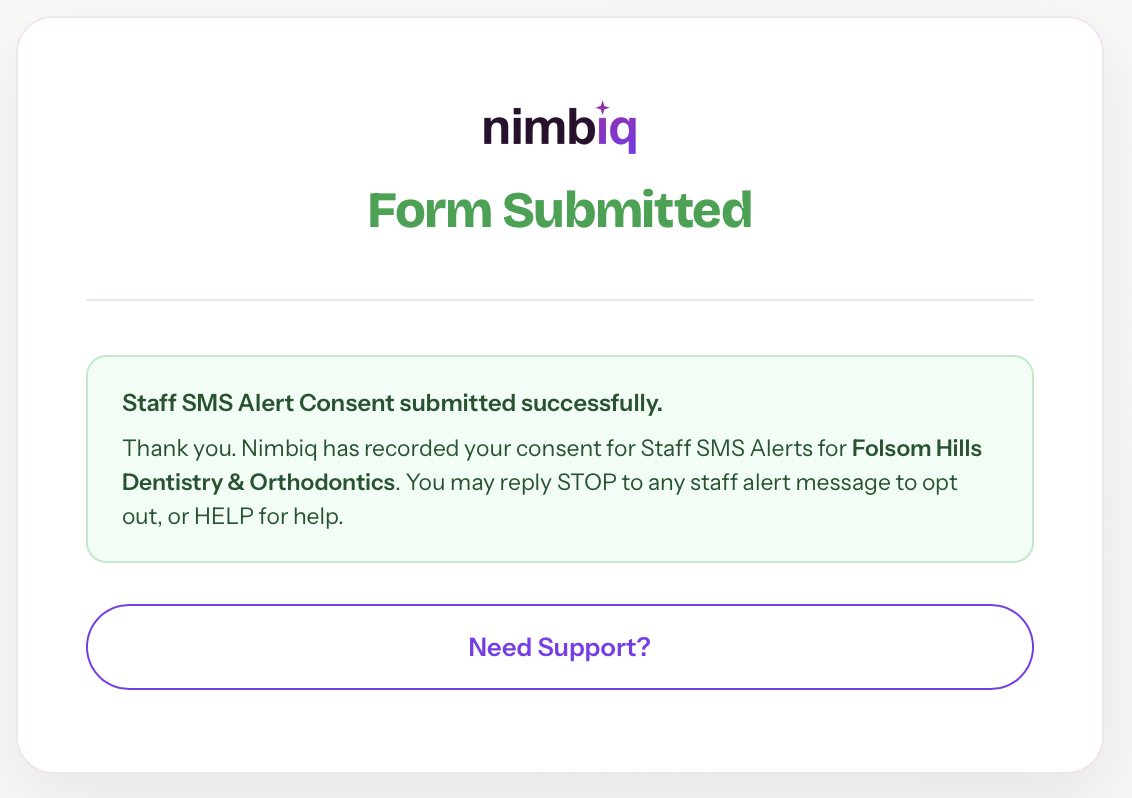
3. Confirmation shown after submission
After submission, the recipient sees a confirmation screen showing that Staff SMS Alert consent was submitted and recorded by Nimbiq. Current production messaging instructions are: Reply STOP to unsubscribe. Reply HELP for help. For assistance, contact support@nimbiq.ai.
Confirmation screen shown after consent is submitted and recorded by Nimbiq.
How the consent flow works
Nimbiq sends a unique consent link to the intended recipient.
The recipient reviews the form and the consent disclosures.
The recipient enters or confirms the mobile number and provides affirmative consent.
The recipient signs and submits the form.
Nimbiq records the consent event and uses the number only for opted-in Staff SMS Alerts.